Last week, two people we know ran Kiln on their own printers for the first time. No hand-holding, no prepared environment — just their machines, their agents, and a casual text message. Both got coasters. Here's what happened.
Chris (Bambu Lab A1 Mini) and Dillon (Prusa Mini) — both printing with AI agents, no manual intervention.
Chris: "Yo actually can you print me another coaster"
Chris has a Bambu Lab A1 Mini. He was already using an agent called Wren for other tasks. At 12:49 PM, he sent it a message:
Yo actually can you print me another coaster
One minute later, Wren responded: "On it. Sending coaster.gcode.3mf to Kiln now." Followed immediately by: "Print job started. Should be heating up now."
Chris asked Wren to monitor it and check in when done. Wren replied that it was running kiln wait in the background. Then nothing — Wren just quietly watched the job.
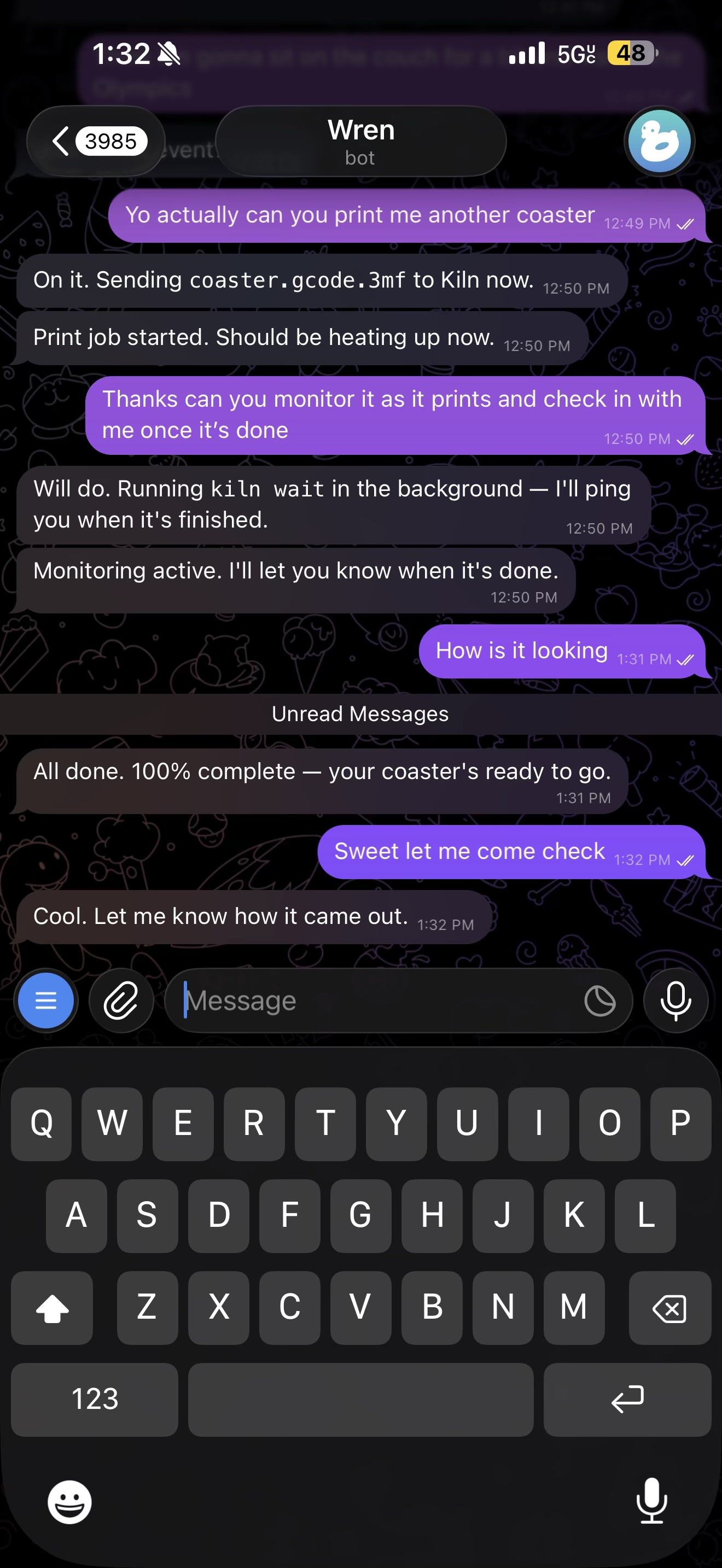
The whole story in one screenshot. Casual ask → agent acts → agent monitors → agent reports done.
At 1:31 PM — 42 minutes later — Chris texted "How is it looking." Wren had already beaten him to it: "All done. 100% complete — your coaster's ready to go."
Chris: "Sweet let me come check." Wren: "Cool. Let me know how it came out."
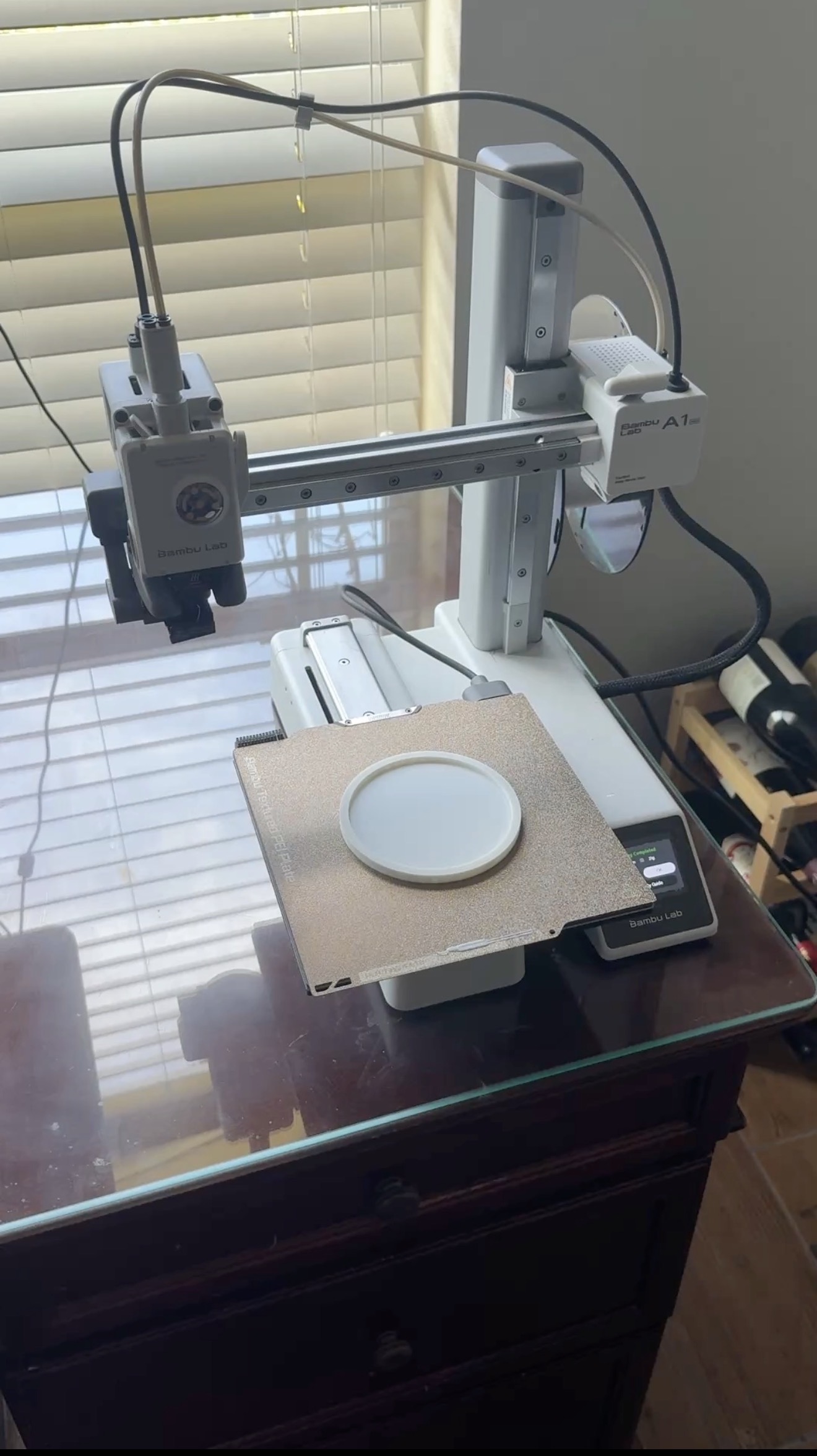
The finished coaster on the Bambu Lab A1 Mini bed. 100% complete.
That's the whole interaction. A text message, an agent that handled everything underneath — file transfer, print start, monitoring, completion notification — and a coaster sitting on the bed when Chris walked over.
Dillon: Live webcam updates, every 30 minutes
Dillon runs a Prusa Mini. His agent is called Clawdence. Same idea — ask the agent to print, let it handle the rest. But Dillon's setup added something extra: Clawdence used Kiln's webcam snapshot tool to check in on the printer periodically and send Dillon actual photos of the job in progress.
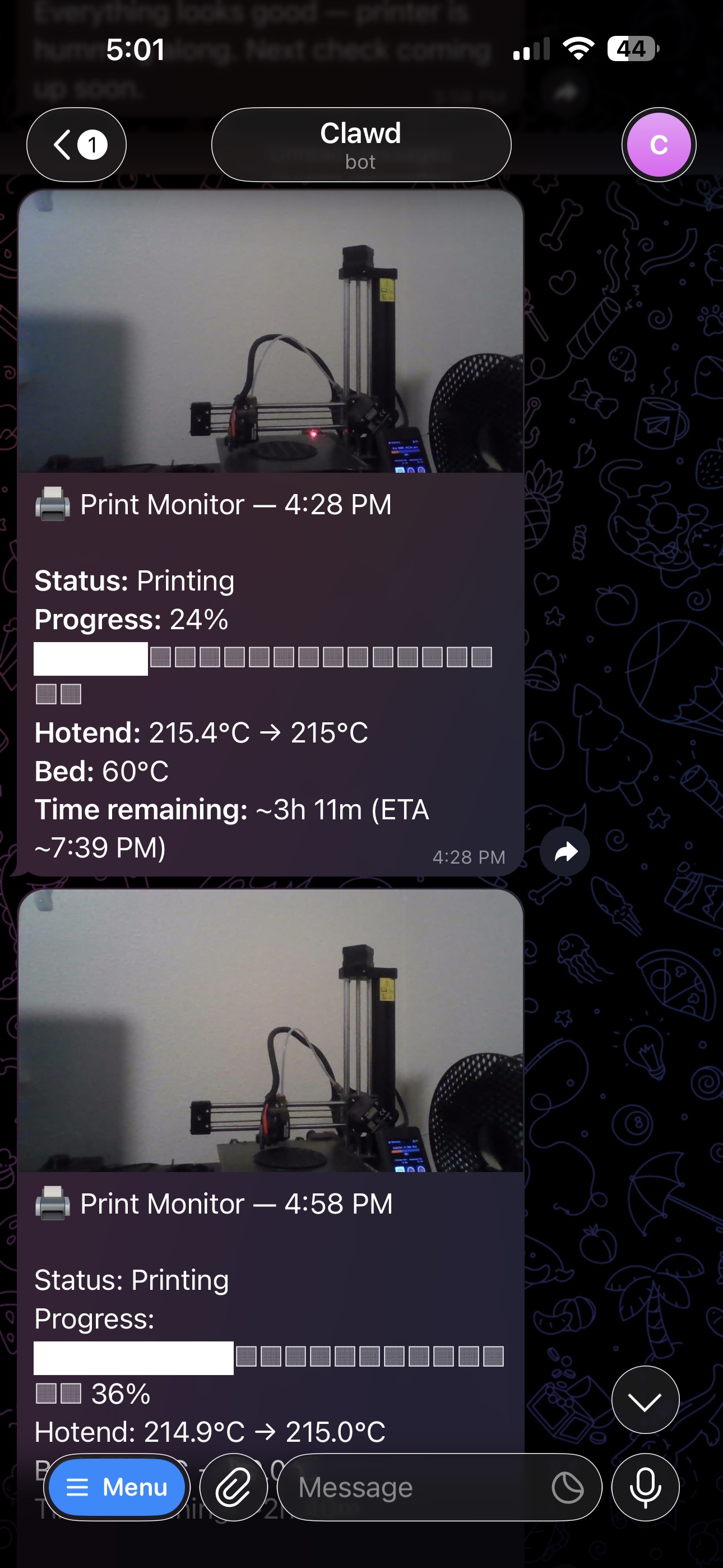
Clawdence monitoring via webcam: 4:28 PM at 24%, 4:58 PM at 36% — hotend at 215°C, ~3h 11m remaining. The agent just kept checking in.
Every update included the real printer data — hotend temperature, bed temperature, progress percentage, time remaining. Not a guess. Not a cached value. Pulled live from the Prusa, formatted, and sent directly to Dillon's phone.
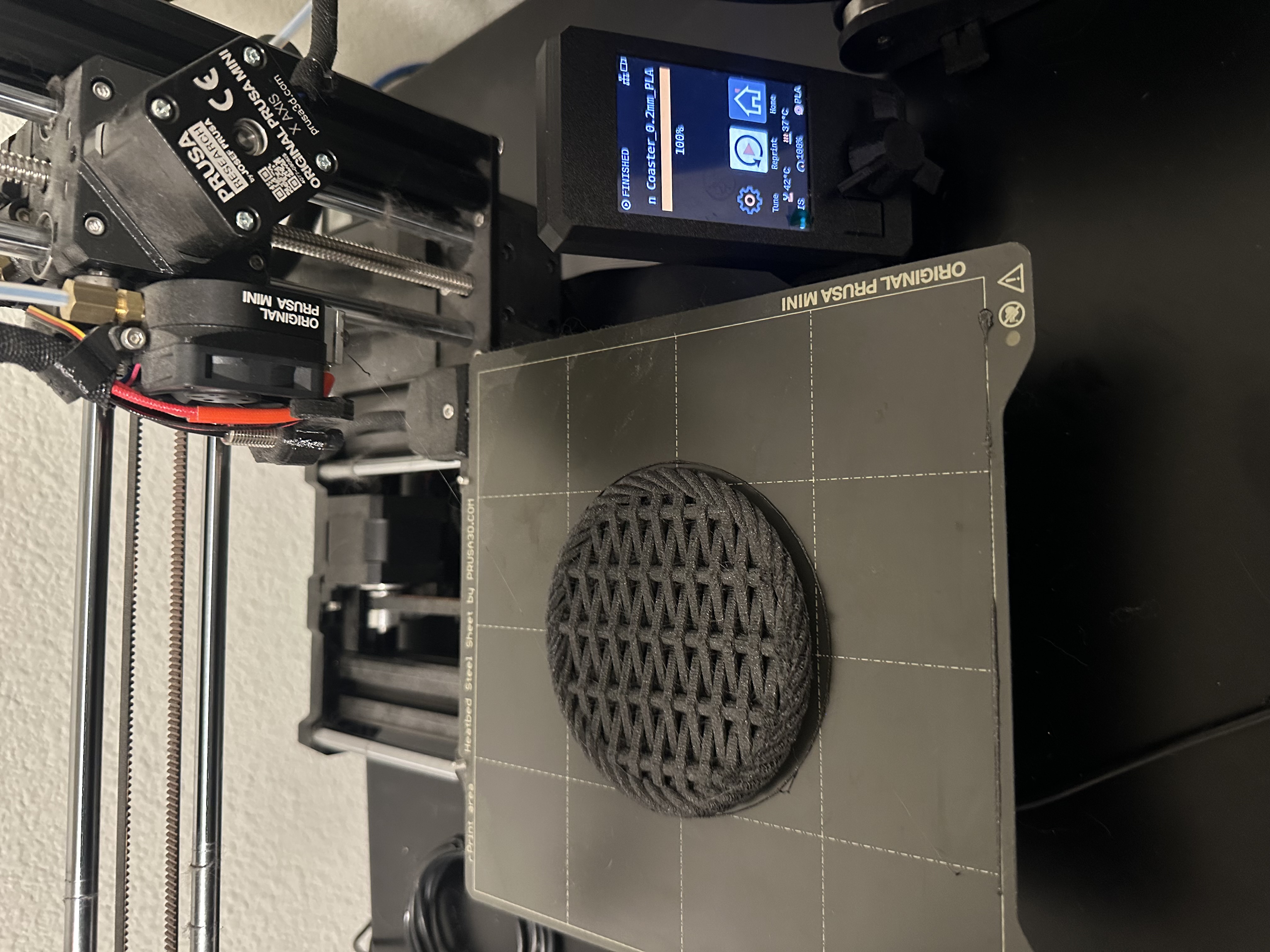
Prusa Mini screen says FINISHED. The textured coaster came out clean.
When the job finished, Dillon walked over, popped the coaster off the magnetic bed, and put it to immediate use.
Dillon's full demo: agent request → print job → coaster → sparkling water. The best part is at the end.
What this proves
A few things stood out watching these two runs:
- Different agents, same Kiln. Wren and Clawdence are completely different AI agents built by different people. Both talk to Kiln through the same MCP tools. The agent doesn't matter — if it speaks MCP, it works.
- Different printers, same interface. Bambu Lab uses a proprietary MQTT protocol. Prusa uses Prusa Link's REST API. Kiln normalizes both into the same set of tools. The agent calls
get_printer_statusand gets the same shape of response regardless of what's underneath. - Monitoring is built in. Dillon didn't have to write any polling logic. Clawdence used
kiln waitand Kiln's webcam tools out of the box. The agent just had to decide to use them. - The interaction is just a text message. Neither Chris nor Dillon opened OctoPrint, Bambu Studio, or PrusaSlicer. They texted their agents. That's the interface.
Try it yourself
Kiln is free and open-source. If you have a 3D printer running OctoPrint, Moonraker, Bambu Lab firmware, or Prusa Link — you can hook it up to your agent today.
Install Kiln → ·GitHub → ·Docs →
If you print something with Kiln, share it. We want to see what you make. Let's build.