Kiln 1.4.1 and 1.4.1.1 landed together, and between them they fix how your design looks before you print it. Previews now come out with the web app’s studio look, the print bed, the lighting, the soft shadow, on every computer with nothing to install, and a set of them arrives in seconds. On a Mac, two irritations that came with those pictures are gone. Designs and slices that used to fail at random now retry instead. A see-through logo carves just the mark, and a design you saved earlier rebuilds in one step. All of it free.
Previews look like the real thing, on every computer
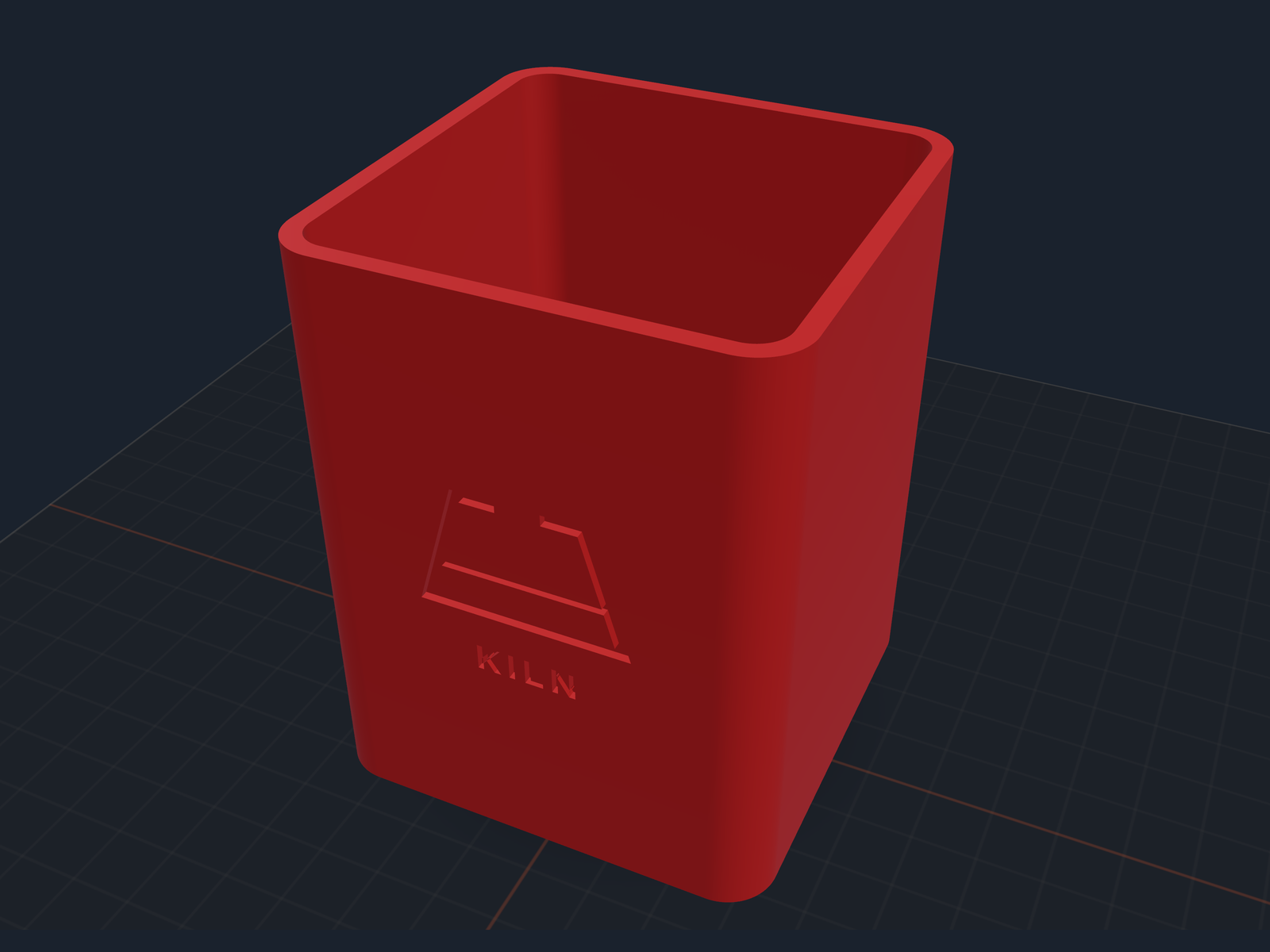
The same studio preview, now produced on machines that have no graphics card to fall back on.
Kiln shows you a picture of your design before you print it, and which picture you got used to depend on your machine. Some setups got the good one: the object on a print bed, lit from the side, with a soft shadow under it. The rest got a flat grey render.
Now every computer gets the good one, with nothing to install and nothing to switch on. Pictures come out sharper across the board too. It matters because the preview is how you decide whether to spend three hours printing the thing, and a flat grey blob hides the details you are checking for. Carved text now reads at a glance, down to less than a millimetre deep, which is where a name on a cup lives.
And they come back in seconds
Ask to see a design from a few angles and the pictures come back in seconds. It used to be slow enough that the app you are chatting in could give up waiting before Kiln was done, so you got nothing back for a picture that had actually been made. Now the whole set arrives well inside that limit.
Two macOS annoyances, gone
Both showed up while Kiln was making that picture.
The password box. macOS would put up a keychain dialog (your Mac’s saved-password store) on behalf of Google Chrome, a browser you never opened. Once per picture, in front of whoever was sitting at the machine. Gone.
The bouncing icon. A second Chrome icon would appear at the bottom of your screen and bounce, mid-render, for a browser nobody asked for. Also gone. Nothing appears, nothing interrupts you.
Designs and slices stop failing at random
Kiln leans on two outside programs: OpenSCAD, which builds a design’s shape, and PrusaSlicer, which turns a finished model into printer instructions. On macOS both sometimes die in the first fraction of a second after starting, before they have even looked at your model. Nothing was wrong with your design, and the next attempt would have worked.
Kiln now makes that attempt for you. A real problem with your model is still reported straight away, rather than run three times to tell you the same thing.
A see-through logo carves just the mark
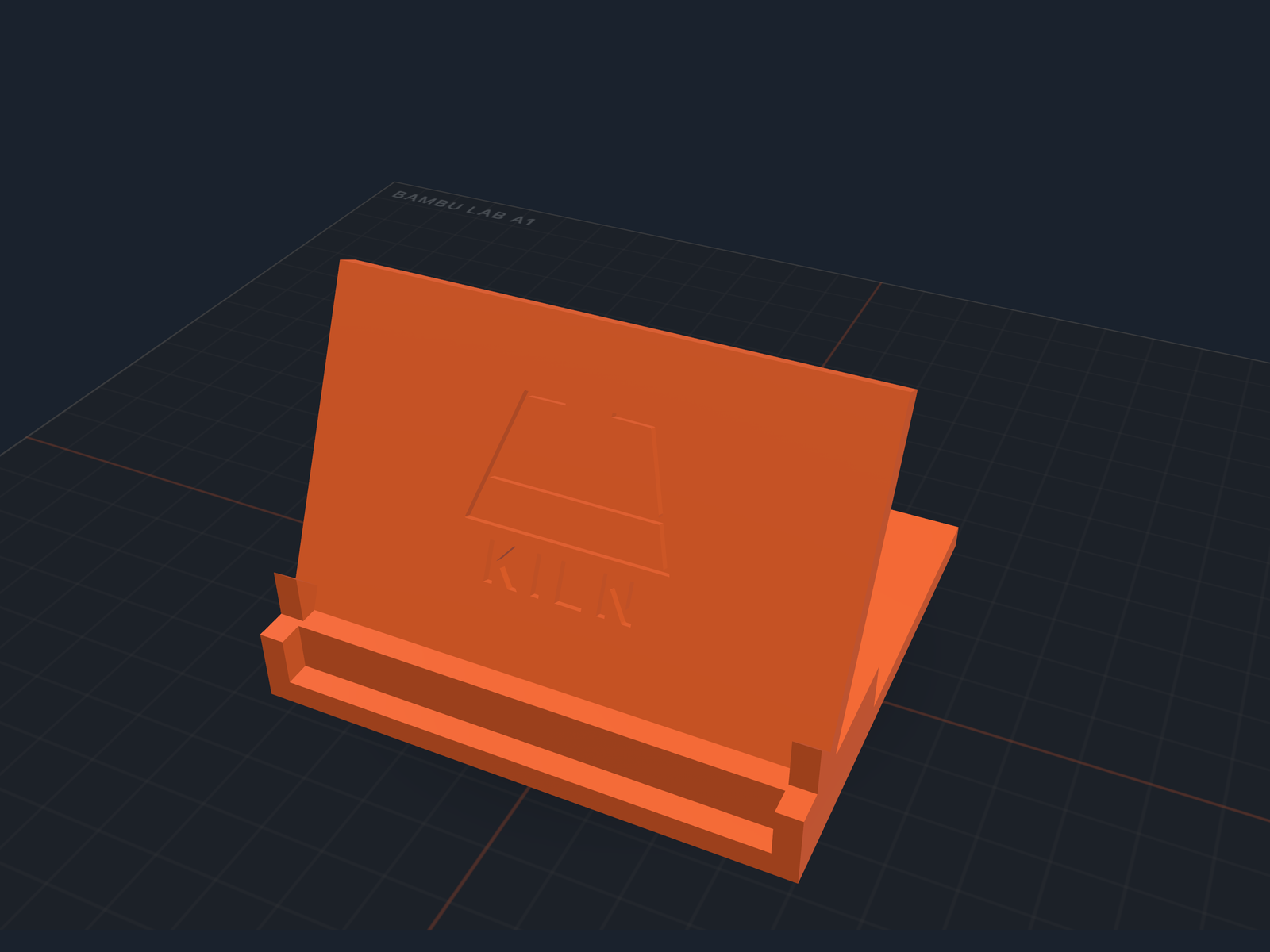
Only the mark is cut. The transparent area around it is left alone, instead of being carved as a block.
Put a logo with a see-through background on a part and Kiln used to carve the whole rectangle around it, so your mark ended up sunk inside a recessed frame. White logos came out blank.
Now the mark gets carved and the space around it stays flat, on logos, photos, and patterns alike.
Rebuild a saved design in one step
Come back to a design you saved earlier and Kiln rebuilds it in one go, from the numbers behind it rather than by stretching the finished model. That distinction is the point: stretching scales every feature along with the part, so a 3mm wall quietly becomes 3.6mm and a hole sized for an M3 screw stops fitting an M3 screw. Ask your agent to rebuild the design, or call rebuild_design. Free, and it replaces an older tool that is now retired.
Smaller things that add up
- Slicing for a Bambu names the file you can actually send. Slicing produced two files and Kiln pointed at the one a Bambu will not start from, so the upload was refused a few steps later. Kiln now names the right one.
- The name on a cup or bowl faces you. Carved text was landing on the back, so the preview looked like a blank wall. New designs put it on the side you are already looking at, and a saved design moves it there next time it is rebuilt.
- An expired web sign-in no longer wastes your time. With a stale sign-in to kiln3d.com, steps that upload your model for the web 3D view kept retrying and getting refused inside one call. Kiln takes the first refusal as its answer now; sign in again and uploads work as normal.
- Update prompts say what you would get. They used to hand you a version number and nothing else. Now they name two or three of the things the new release adds.
- The Create page says what Kiln can actually do. Chat with your AI agent and it makes anything you can describe: a bracket for that shelf, a stand for your phone, the part that broke. Setup takes about three minutes, with a link straight to it.
- Clearer answers when you are signed out. Clicking Make, Download, or Save without a signed-in session now says exactly that, instead of a generic error, and an expired session puts you back where you were.
- Straight answers about fulfillment fees. If you have Kiln get something printed by an outside shop, agents could tell you the allowance was three items a month and that unlimited volume needed a bigger plan. Neither was true: volume is unlimited on every plan, and the first three orders each month are fee-free on every plan.
- QR codes say the tier they need. Adding one has always been a Kiln Business feature, but several products described it as Pro, so if you were on Pro and hit that, the wording was wrong rather than your plan.
- One printer at a time, and a clean way to switch. That now covers every printer command, not just starting a print. Handing a machine back is one step, so Kiln can move to another without disturbing a print already running. Running several at once through Kiln is a Kiln Business feature.
Full release notes: CHANGELOG.md.
Upgrading
- Already use Kiln? Run
pip install --upgrade kiln3dto move to 1.4.1.1. - Installed 1.4.1 earlier today? Upgrade again. 1.4.1.1 is the one that makes the new previews show up on a normal install.
- New here? Run
pip install kiln3d, then follow the install guide to connect Kiln to your AI agent: Claude Code, Codex, or any other compatible AI client.